ClinicEZ v2
ClinicEZ v2
ClinicEZ v2
Healthcare Booking Appoinment App
Healthcare Booking Appoinment App
Healthcare Booking Appoinment App
Year
Year
2025
2025
2025
Duration
Duration
5 weeks
5 weeks
5 weeks
Overview
Overview
Overview
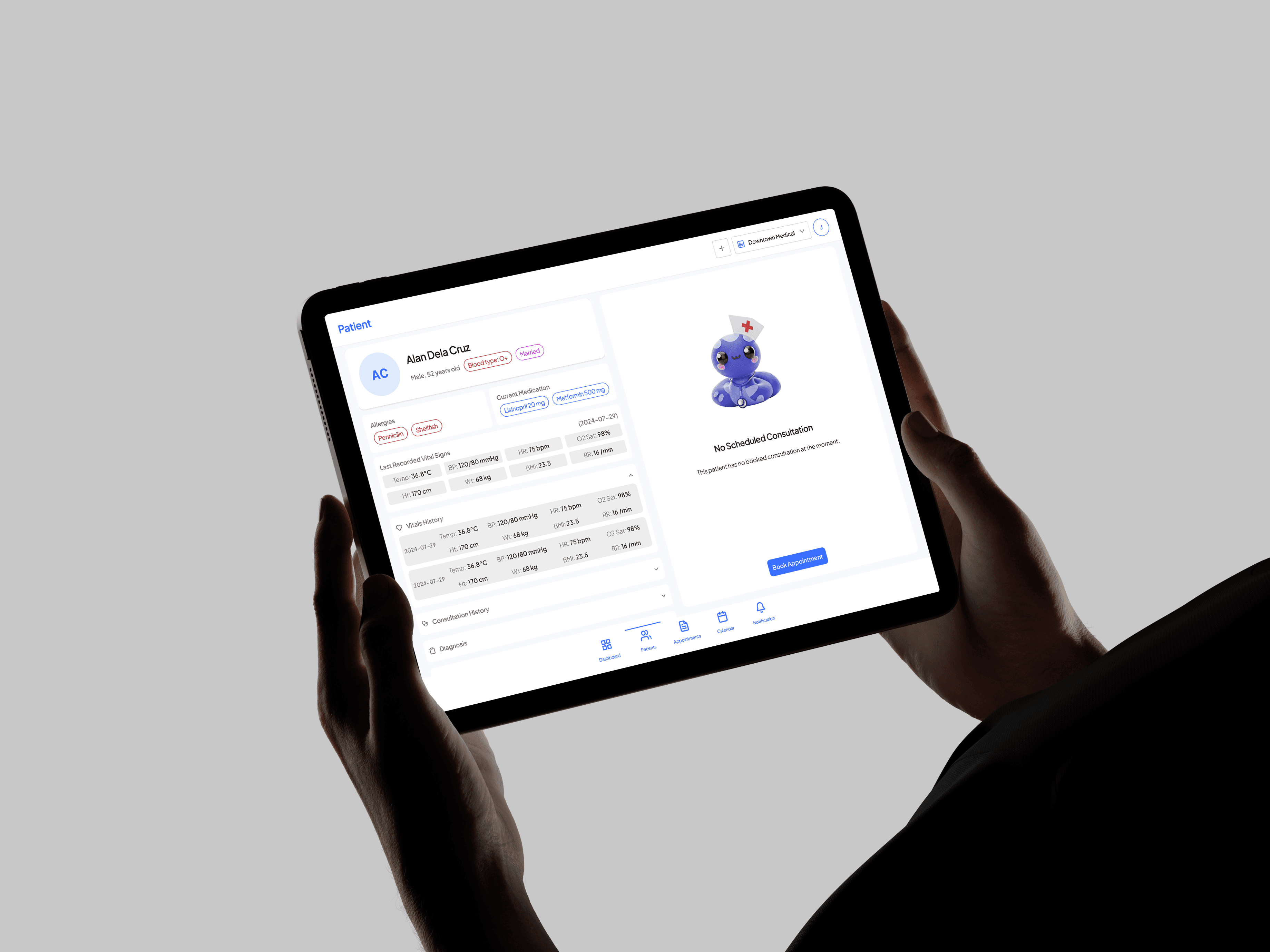
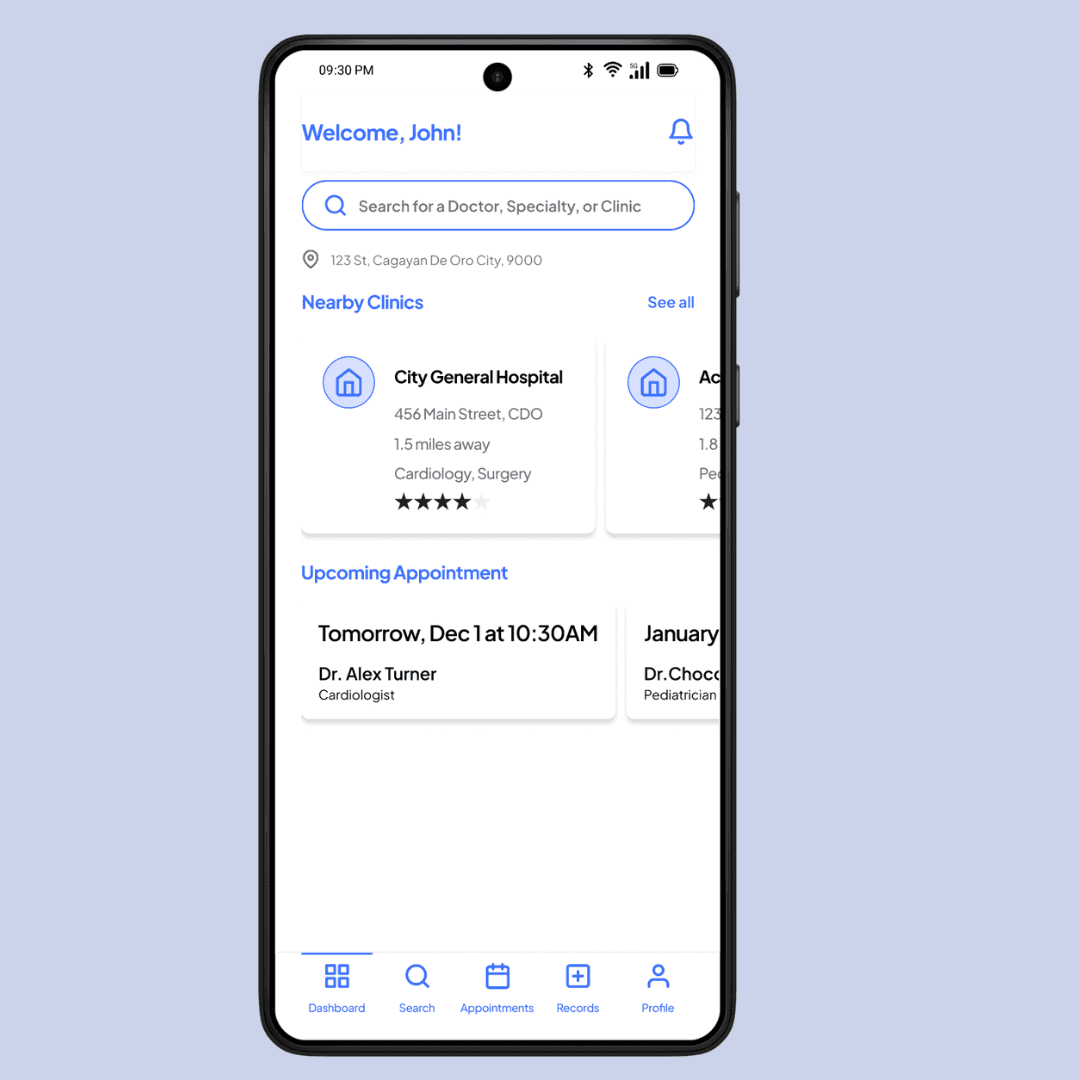
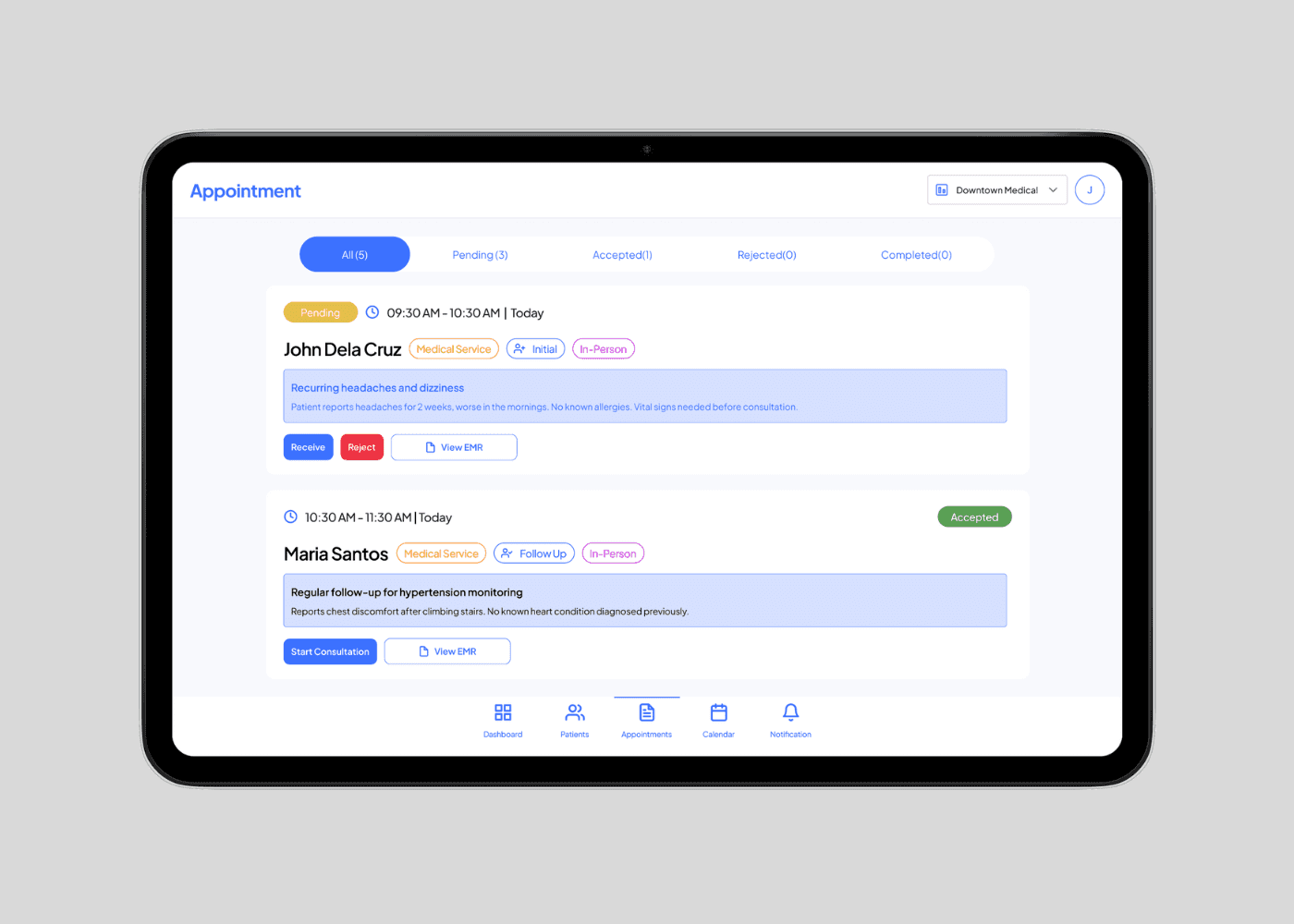
ClinicEZ v2 evolved from a limited single-clinic web app into a mobile-first, multi-clinic platform with dedicated role-based apps for patients, nurses, and doctors. The redesign streamlined booking, consultations, and digital medical records for seamless healthcare workflows.
ClinicEZ v2 evolved from a limited single-clinic web app into a mobile-first, multi-clinic platform with dedicated role-based apps for patients, nurses, and doctors. The redesign streamlined booking, consultations, and digital medical records for seamless healthcare workflows.
ClinicEZ v2 evolved from a limited single-clinic web app into a mobile-first, multi-clinic platform with dedicated role-based apps for patients, nurses, and doctors. The redesign streamlined booking, consultations, and digital medical records for seamless healthcare workflows.
Challenges
Challenges
Challenges
Poor scalability and usability
Confusing UI for nurses
Patients needed help with bookings
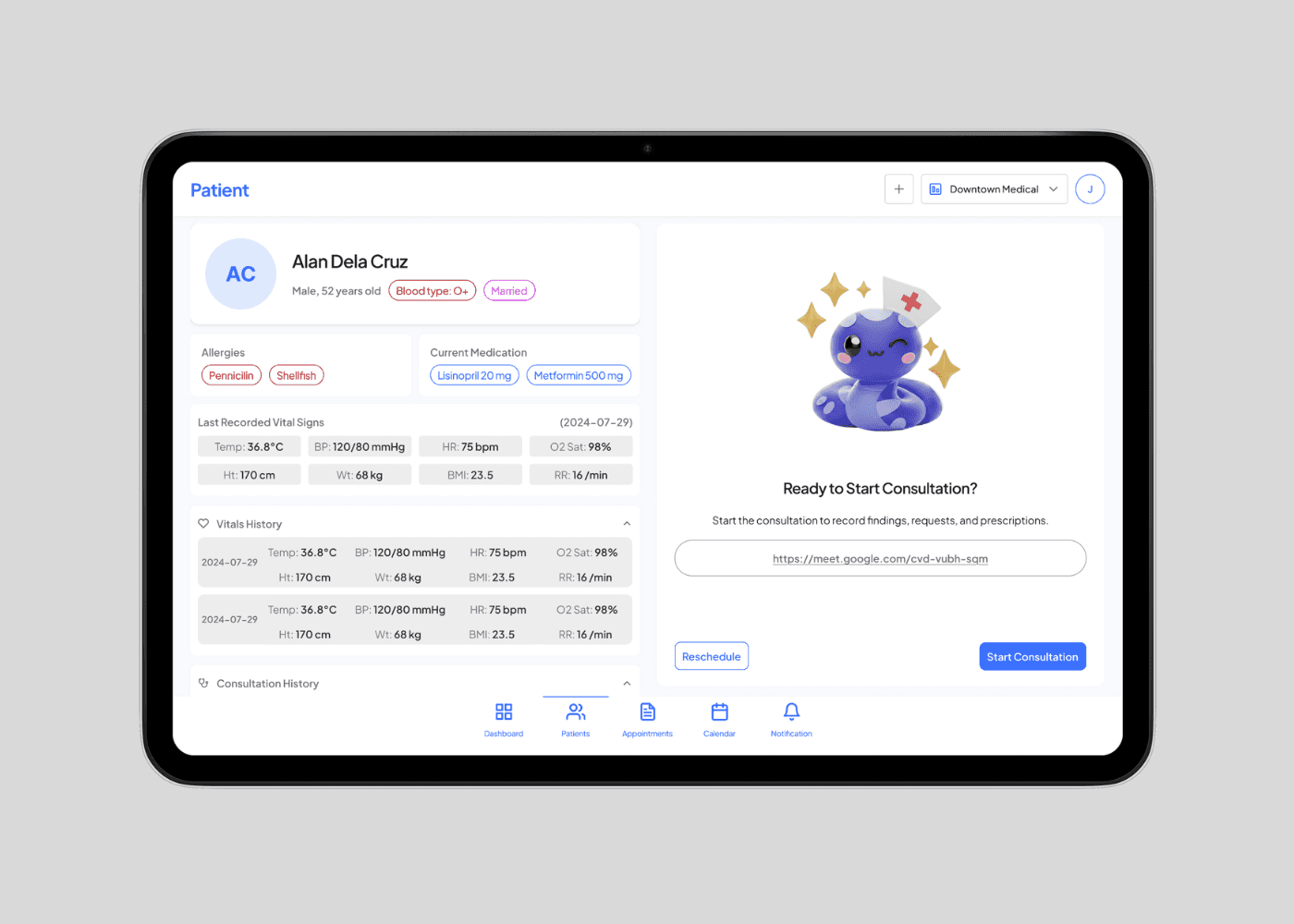
Doctors relied on laptops during consultations
Poor scalability and usability
Confusing UI for nurses
Patients needed help with bookings
Doctors relied on laptops during consultations
Poor scalability and usability
Confusing UI for nurses
Patients needed help with bookings
Doctors relied on laptops during consultations
Solutions
Solutions
Solutions
Introduced mobile workflows
Created role-based user experiences
Improved usability and scalability for wider adoption
Introduced mobile workflows
Created role-based user experiences
Improved usability and scalability for wider adoption
Introduced mobile workflows
Created role-based user experiences
Improved usability and scalability for wider adoption
Key Design Outcomes
Key Design Outcomes
Key Design Outcomes
85% self-booked
85% self-booked
85% self-booked
Patients correctly understood and completed the booking flow without staff guidance
Patients correctly understood and completed the booking flow without staff guidance
Patients correctly understood and completed the booking flow without staff guidance
100% tablet consultations
100% tablet consultations
100% tablet consultations
Doctors understood the interface and were able to conduct consults and create EMR without needing a laptop
Doctors understood the interface and were able to conduct consults and create EMR without needing a laptop
Doctors understood the interface and were able to conduct consults and create EMR without needing a laptop
90% usage agreement
90% usage agreement
90% usage agreement
Evaluators agreed the design is usable and acceptable for broader clinic adoption
Evaluators agreed the design is usable and acceptable for broader clinic adoption
Evaluators agreed the design is usable and acceptable for broader clinic adoption
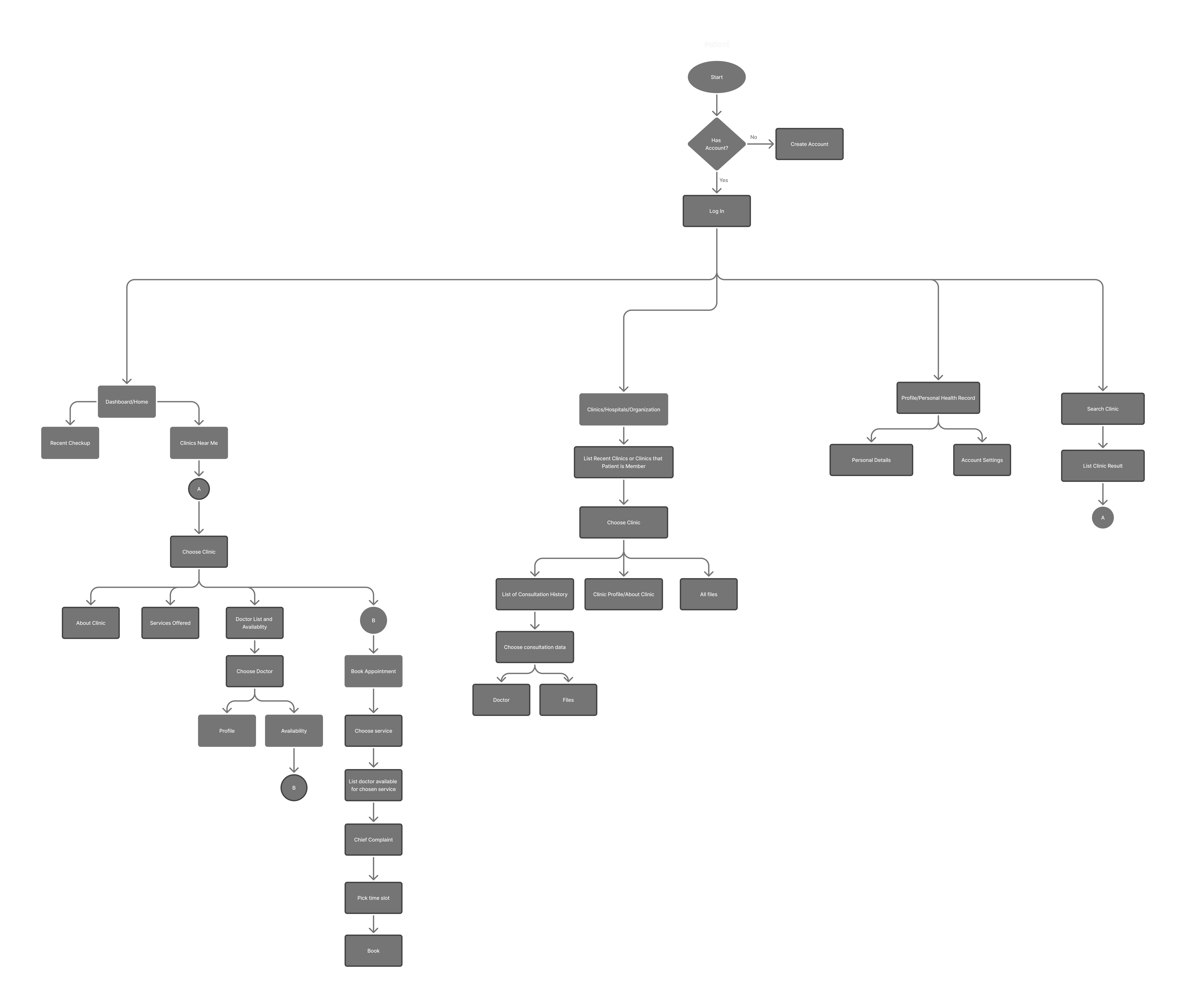
Patient User Flow / Information Architecture
Patient User Flow / Information Architecture
Patient User Flow / Information Architecture
Significant Design Decisions
Significant Design Decisions
Significant Design Decisions
BOOKING CONSULTATION
BOOKING CONSULTATION
BOOKING CONSULTATION
PATIENT EXPERIENCE
PATIENT EXPERIENCE
PATIENT EXPERIENCE
Improvements
Improvements
Improvements
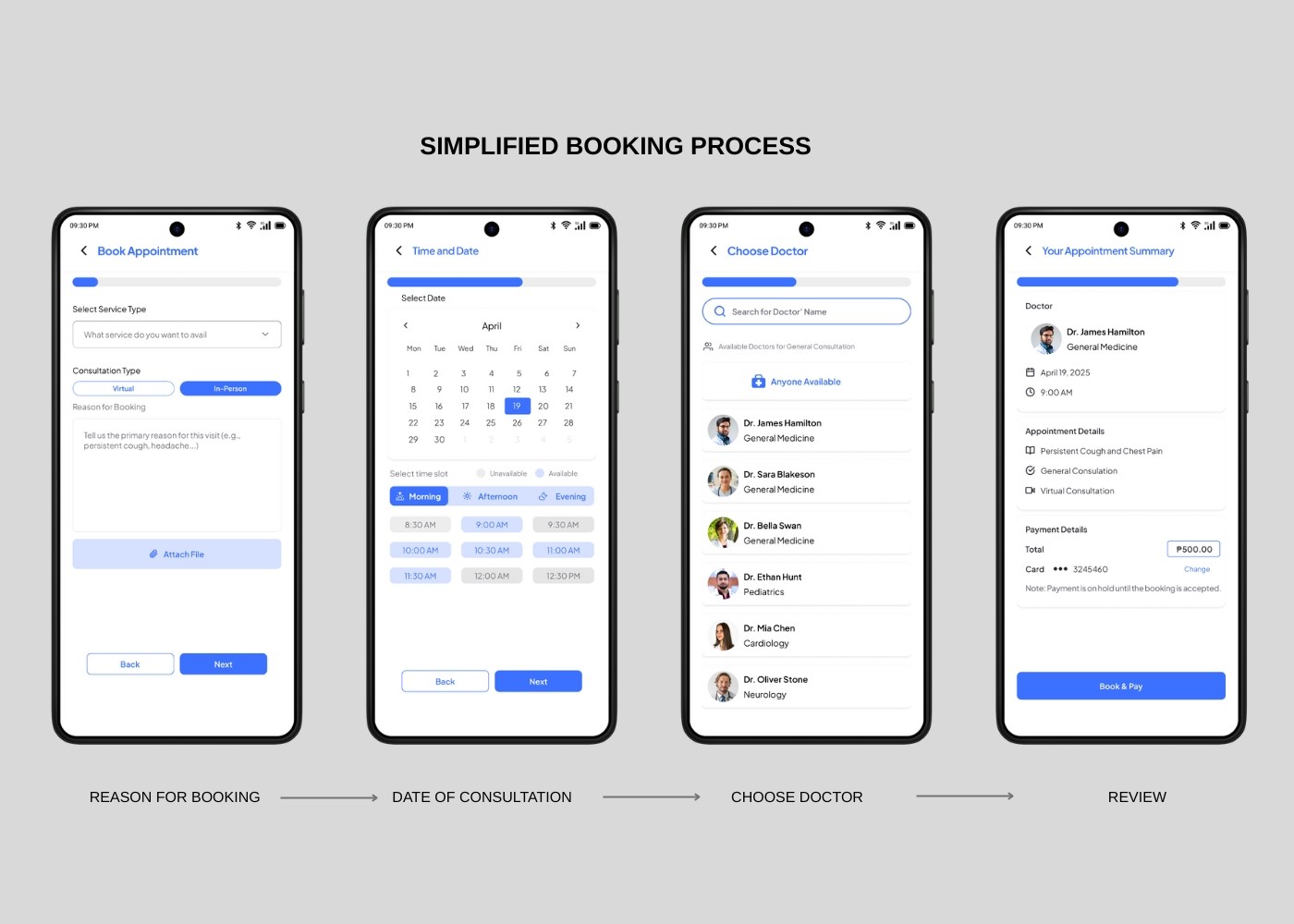
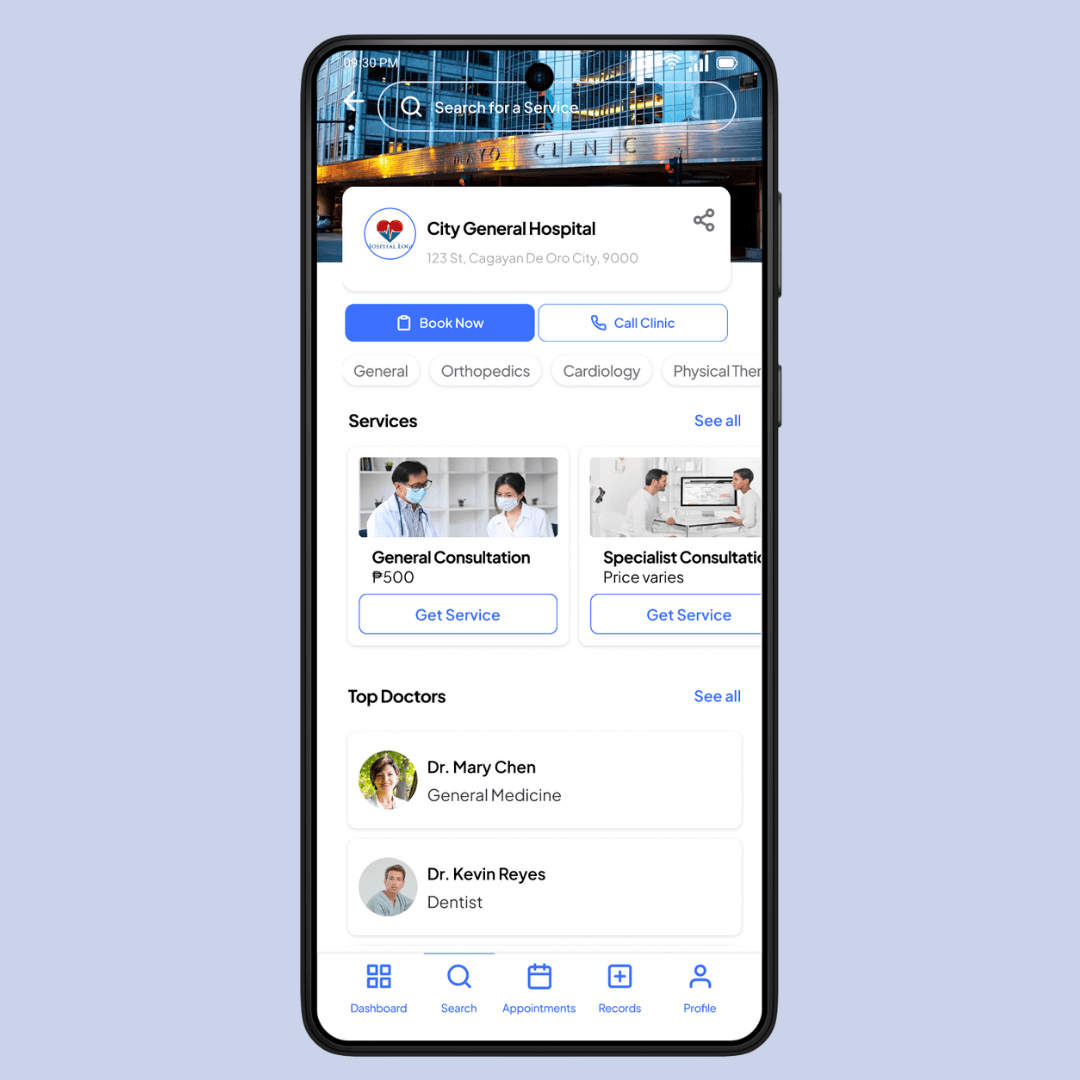
I simplified the patient booking experience into four clear steps to reduce confusion and the need for clinic assistance. The trade-off was limiting advanced filters and shortcuts, but this structure made the flow more intuitive, helping first-time users complete bookings confidently and independently.
I simplified the patient booking experience into four clear steps to reduce confusion and the need for clinic assistance. The trade-off was limiting advanced filters and shortcuts, but this structure made the flow more intuitive, helping first-time users complete bookings confidently and independently.
I simplified the patient booking experience into four clear steps to reduce confusion and the need for clinic assistance. The trade-off was limiting advanced filters and shortcuts, but this structure made the flow more intuitive, helping first-time users complete bookings confidently and independently.
CALENDAR REDESIGN
CALENDAR REDESIGN
CALENDAR REDESIGN
DOCTOR EXPERIENCE
DOCTOR EXPERIENCE
DOCTOR EXPERIENCE
Pain Points
Pain Points
Pain Points
Recurring setup was confusing
Availability rules were unclear
Schedule settings were hidden under account settings
Doctors said they rarely think of schedule as a “setting.”
Recurring setup was confusing
Availability rules were unclear
Schedule settings were hidden under account settings
Doctors said they rarely think of schedule as a “setting.”
Recurring setup was confusing
Availability rules were unclear
Schedule settings were hidden under account settings
Doctors said they rarely think of schedule as a “setting.”
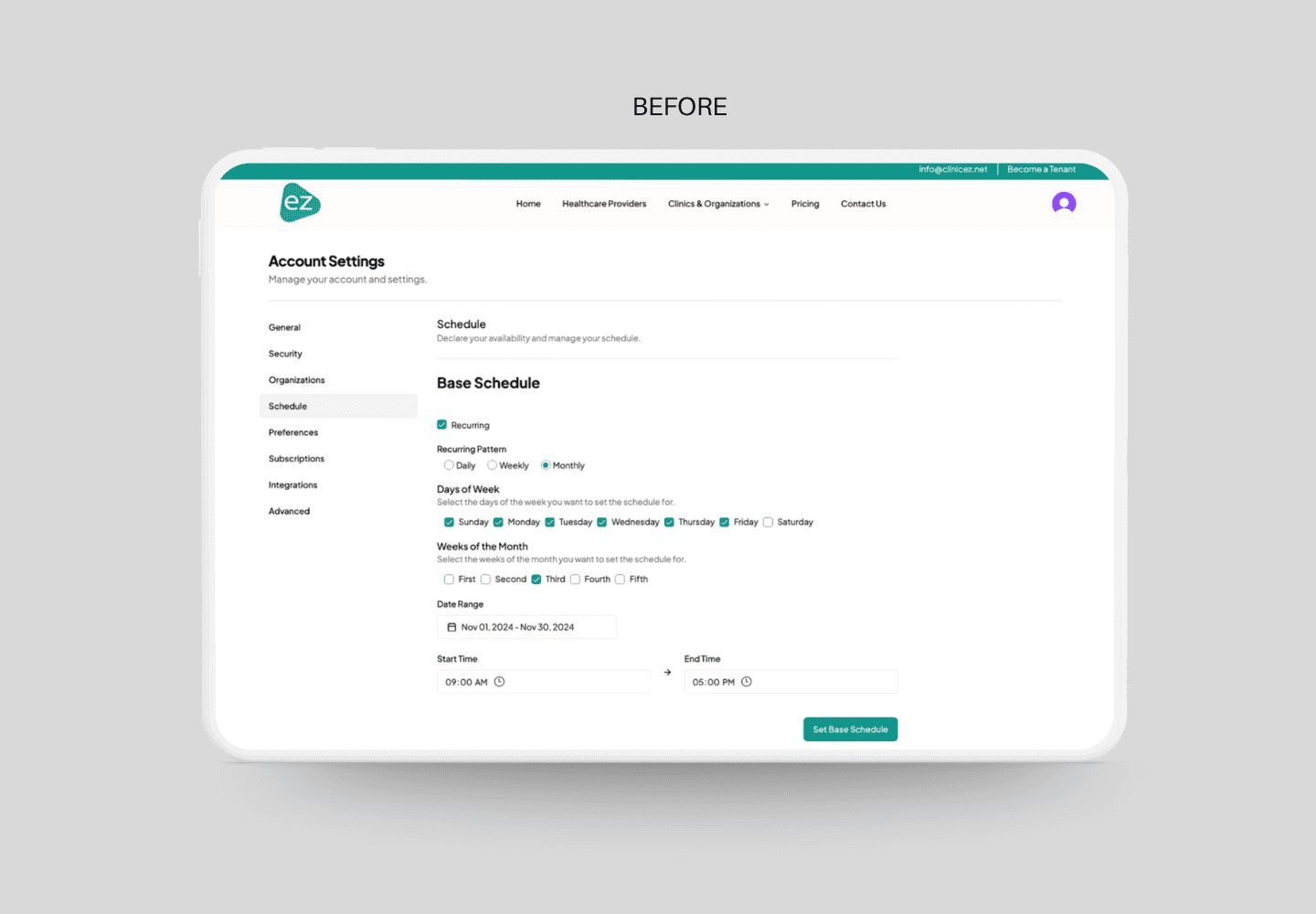
Previous Calendar Scheduling in v1 web app
Previous Calendar Scheduling in v1 web app
Previous Calendar Scheduling in v1 web app
Improvements
Improvements
Improvements
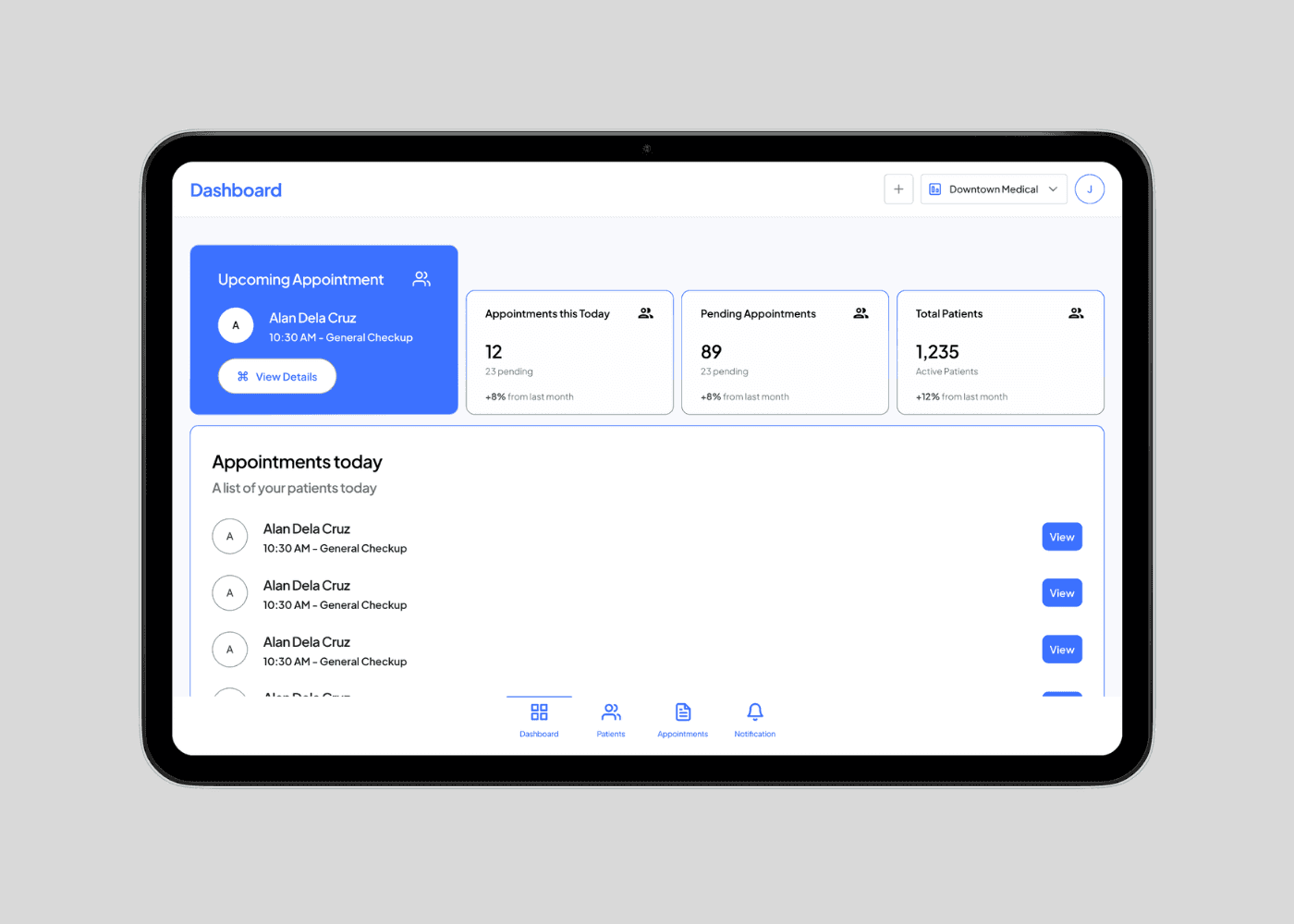
Moved calendar into the main navigation so doctors can see their schedule upfront (based on user feedback)
Added weekly/monthly repeat options
Added per-day availability controls
Added quick “block date” actions
Moved calendar into the main navigation so doctors can see their schedule upfront (based on user feedback)
Added weekly/monthly repeat options
Added per-day availability controls
Added quick “block date” actions
Moved calendar into the main navigation so doctors can see their schedule upfront (based on user feedback)
Added weekly/monthly repeat options
Added per-day availability controls
Added quick “block date” actions
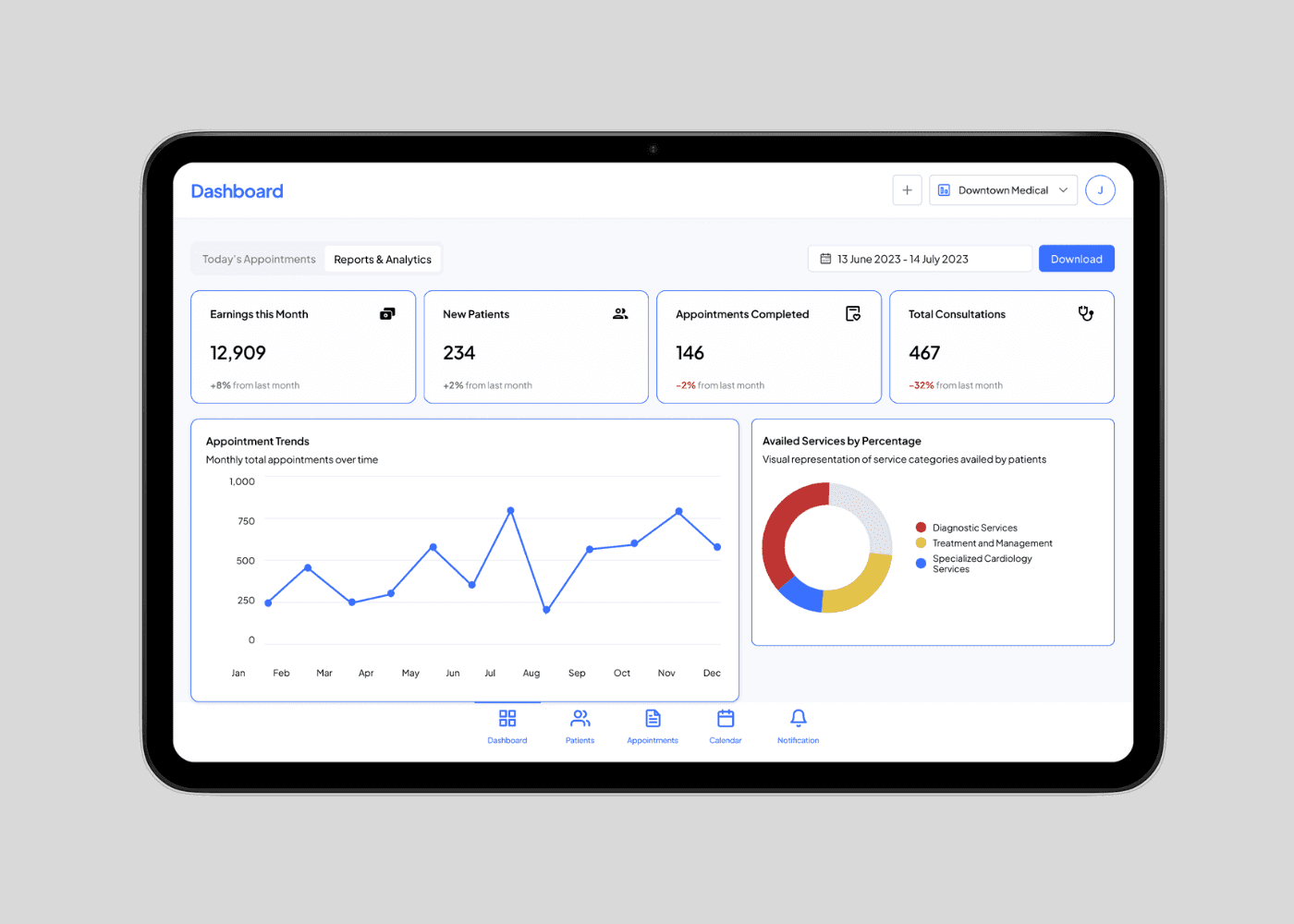
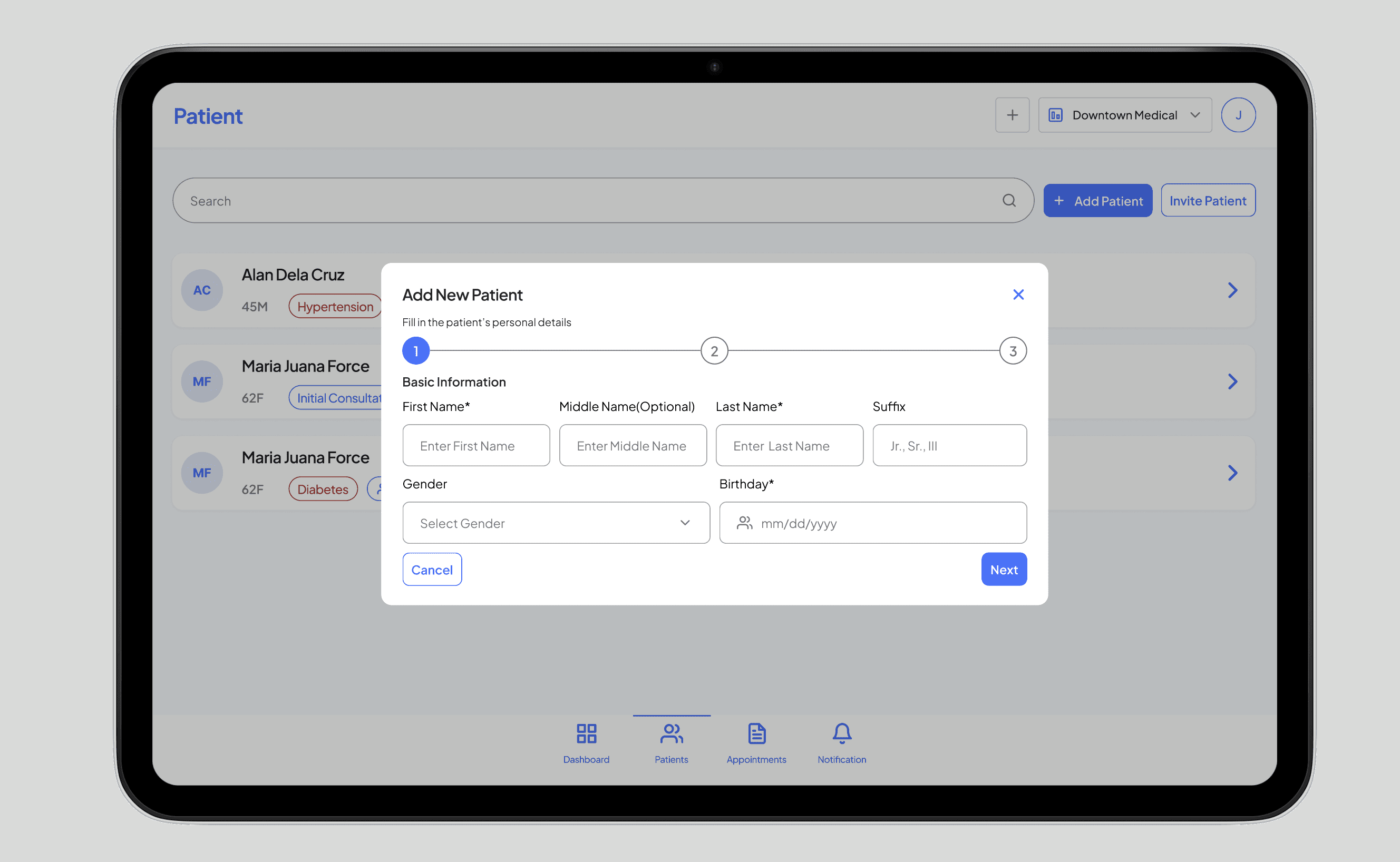
v2 Design in tablet
v2 Design in tablet
v2 Design in tablet
ACCEPTING PATIENT BOOKING
ACCEPTING PATIENT BOOKING
ACCEPTING PATIENT BOOKING
NURSE EXPERIENCE
NURSE EXPERIENCE
NURSE EXPERIENCE
Improvements
Improvements
Improvements
Added an accept-dialog workflow to mirror the real triage process
Nurses can now view patient data and booking details before taking action
Included input fields for vital signs and notes directly in the dialog
Final confirmation step ensures accuracy before forwarding to the doctor
Added an accept-dialog workflow to mirror the real triage process
Nurses can now view patient data and booking details before taking action
Included input fields for vital signs and notes directly in the dialog
Final confirmation step ensures accuracy before forwarding to the doctor
Added an accept-dialog workflow to mirror the real triage process
Nurses can now view patient data and booking details before taking action
Included input fields for vital signs and notes directly in the dialog
Final confirmation step ensures accuracy before forwarding to the doctor
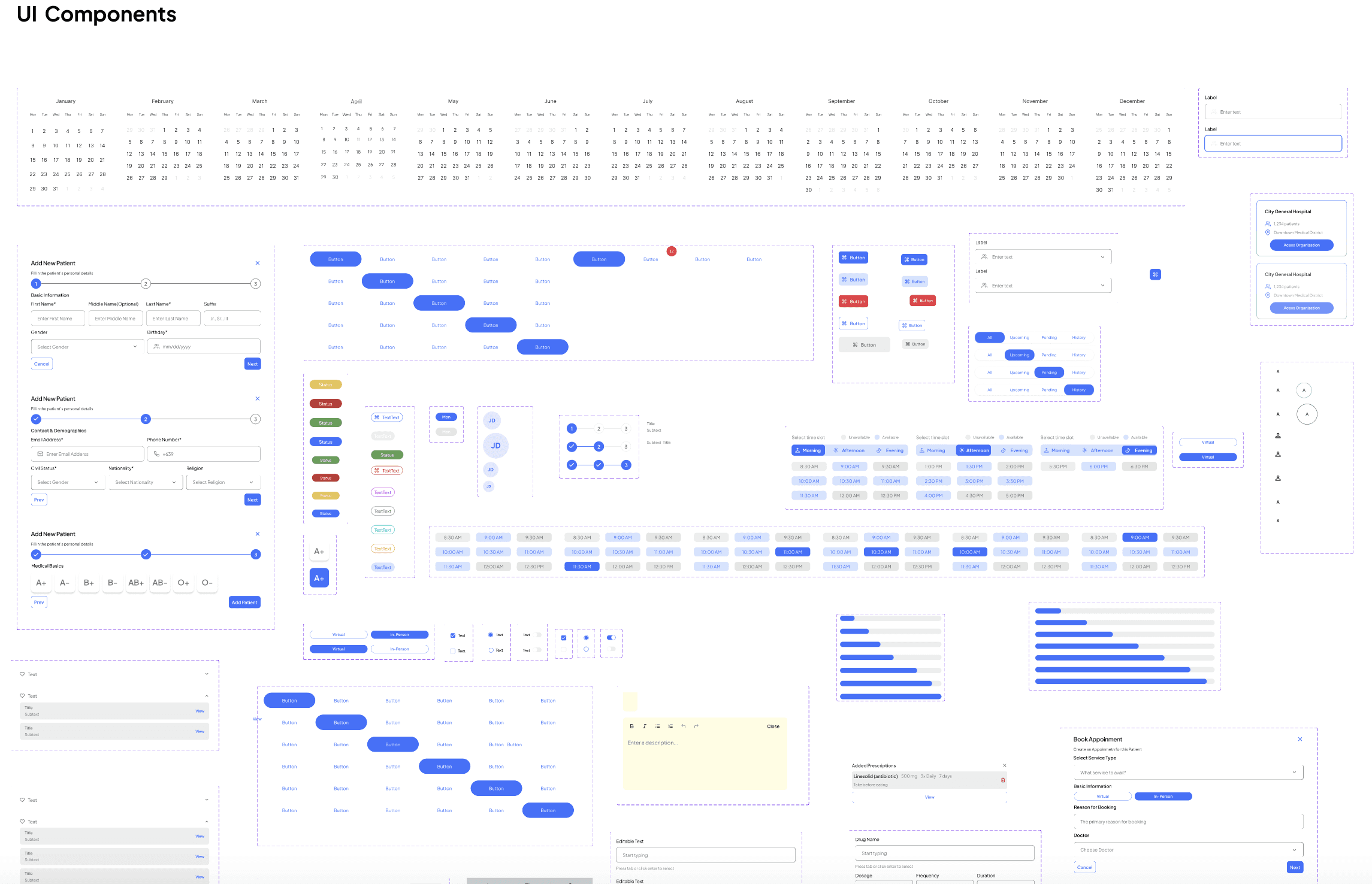
Components
Gallery
Thanks for Reading!
Thanks for Reading!
Thanks for Reading!
Check out more of my projects, or get in touch to see how
I can help bring your ideas to life!
Check out more of my projects, or get in touch to see how I can help bring your ideas to life!
Check out more of my projects, or get in touch to see how I can help bring your ideas to life!